728x90
Docker Compose로 GitLab Omnibus 컨테이너를 구성하는 방법
사전 준비
Docker & Docker Compose 설치
- 시스템에 Docker와 Docker Compose가 설치되어 있어야 합니다.
- Docker Compose 공식 설치 가이드(https://docs.docker.com/compose/install/)에서 제공됩니다.
설치 확인
docker --version
docker-compose --version
1. GitLab Docker Compose 프로젝트 준비
GitLab Docker Compose 저장소 클론
git clone https://github.com/anti1346/docker-gitlab-ce.gitcd docker-gitlab-ce.env 파일 생성
- GitLab 도메인과 이메일 정보를 환경 변수로 관리합니다.
vim .envGITLAB_HOST=gitlab.example.com
GITLAB_EMAIL=admin@example.com- GITLAB_HOST : GitLab 접속 도메인
- GITLAB_EMAIL : Let's Encrypt 인증서 알림 이메일
2. docker-compose.yml 구성
참고 저장소 : https://github.com/anti1346/docker-gitlab-ce
vim docker-compose.ymlversion: '3.9'
services:
gitlab:
image: gitlab/gitlab-ce:latest
container_name: gitlab
hostname: ${GITLAB_HOST}
restart: always
env_file: .env
environment:
GITLAB_OMNIBUS_CONFIG: |
external_url 'https://${GITLAB_HOST}'
gitlab_rails['gitlab_shell_ssh_port'] = 2222
gitlab_rails['time_zone'] = 'Asia/Seoul'
nginx['redirect_http_to_https'] = true
nginx['redirect_http_to_https_port'] = 80
registry['enable'] = true
registry_external_url 'https://${GITLAB_HOST}:5000'
letsencrypt['enable'] = true
letsencrypt['contact_emails'] = ['${GITLAB_EMAIL}']
letsencrypt['auto_renew'] = true
letsencrypt['auto_renew_day_of_month'] = "*/15"
# Backup 설정
gitlab_rails['backup_path'] = '/var/opt/gitlab/backups'
gitlab_rails['backup_keep_time'] = 604800
volumes:
- /etc/localtime:/etc/localtime:ro
- ./gitlab/config:/etc/gitlab
- ./gitlab/data:/var/opt/gitlab
- ./gitlab/logs:/var/log/gitlab
- ./gitlab/backups:/var/opt/gitlab/backups
ports:
- "80:80"
- "443:443"
- "2222:2222"
- "5000:5000"- image: GitLab CE 최신 이미지
- hostname: GitLab 도메인
- ports: Web/HTTPS/SSH/Registry 포트
- volumes: 설정, 데이터, 로그 영구 저장
- letsencrypt: 자동 SSL 인증서 발급
3. GitLab 컨테이너 실행
docker-compose up -d실행 상태 확인
docker-compose ps Name Command State Ports
---------------------------------------------------------------------------------------------------------------
gitlab /assets/wrapper Up (healthy) 22/tcp, 0.0.0.0:2222->2222/tcp, 0.0.0.0:443->443/tcp,
0.0.0.0:5000->5000/tcp, 0.0.0.0:5001->5001/tcp, 0.0.0.0:80->80/tcp4. GitLab 웹 접속 및 초기 설정
웹 브라우저에서 접속
https://gitlab.example.com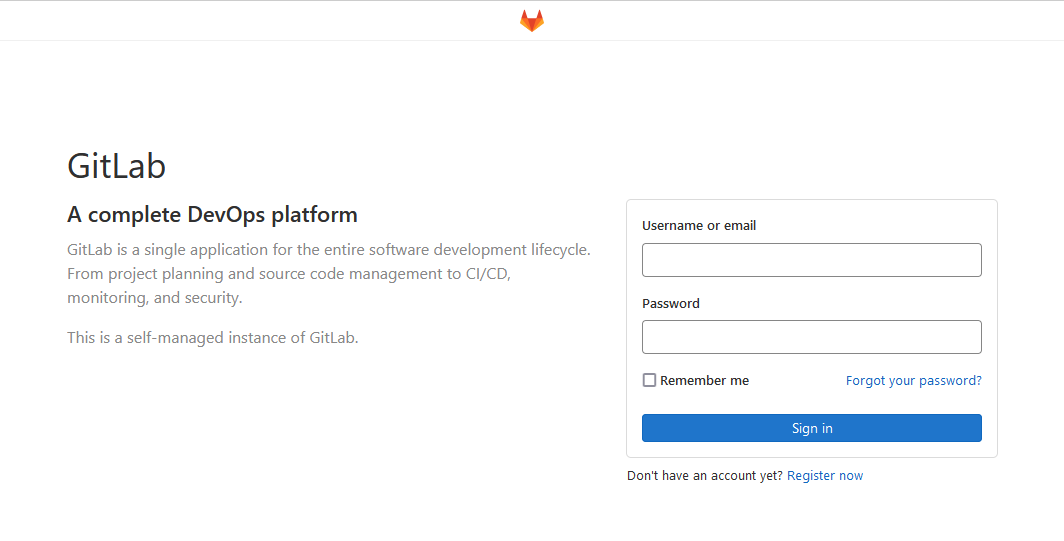
초기 Root 비밀번호 확인
docker logs gitlab | grep "Password"또는
docker exec -it gitlab cat /etc/gitlab/initial_root_password최초 로그인 후 반드시 비밀번호를 변경하세요.
5. 운영 팁
GitLab 업그레이드
docker-compose pull
docker-compose up -d
백업 파일 위치
./gitlab/backupsSSH 접속 포트
ssh -p 2222 git@gitlab.example.com
이제 GitLab Omnibus를 Docker Compose를 사용하여 컨테이너로 올렸으며, 웹 인터페이스를 통해 Git 저장소 및 프로젝트를 관리할 수 있습니다. 필요한 경우 Docker Compose를 사용하여 컨테이너를 업그레이드하거나 관리할 수도 있습니다.
728x90
'리눅스' 카테고리의 다른 글
| [WIP] CentOS 8 Docker 컨테이너에서 systemctl 사용하기 (0) | 2026.03.03 |
|---|---|
| [WIP] 리눅스 배포판(Linux Distros) (0) | 2026.03.03 |
| [WIP] 개인 키를 사용하여 공개 키를 생성하는 방법 (0) | 2026.03.03 |
| [WIP] CentOS 7에서 libmcrypt를 설치하는 방법 (0) | 2026.03.03 |
| [WIP] docker nettools 컨테이너 실행 (0) | 2026.03.02 |


