728x90
GitLab Runner를 실행하고 등록하는 방법
GitLab Runner 실행(docker)
docker-compose.ymlversion: '3.8'
services:
gitlab-runner2:
image: gitlab/gitlab-runner:alpine
restart: always
container_name: gitlab-runner2
hostname: gitlab-runner2
depends_on:
- gitlab
volumes:
- /usr/share/zoneinfo/Asia/Seoul:/etc/localtime:ro
- /var/run/docker.sock:/var/run/docker.sock
- ./gitlab-runner2/config:/etc/gitlab-runner
networks:
- jenkins_net
networks:
jenkins_net:
name: jenkins_netRunner 등록
docker exec -it gitlab-runner2 gitlab-runner register \
--non-interactive \
--url "https://gitlab.example.com/" \
--registration-token "glrtszbvS" \
--executor "docker" \
--docker-image docker:latest \
--description "Docker Runner" \
--docker-volumes /var/run/docker.sock:/var/run/docker.sock
--tag-list "docker"
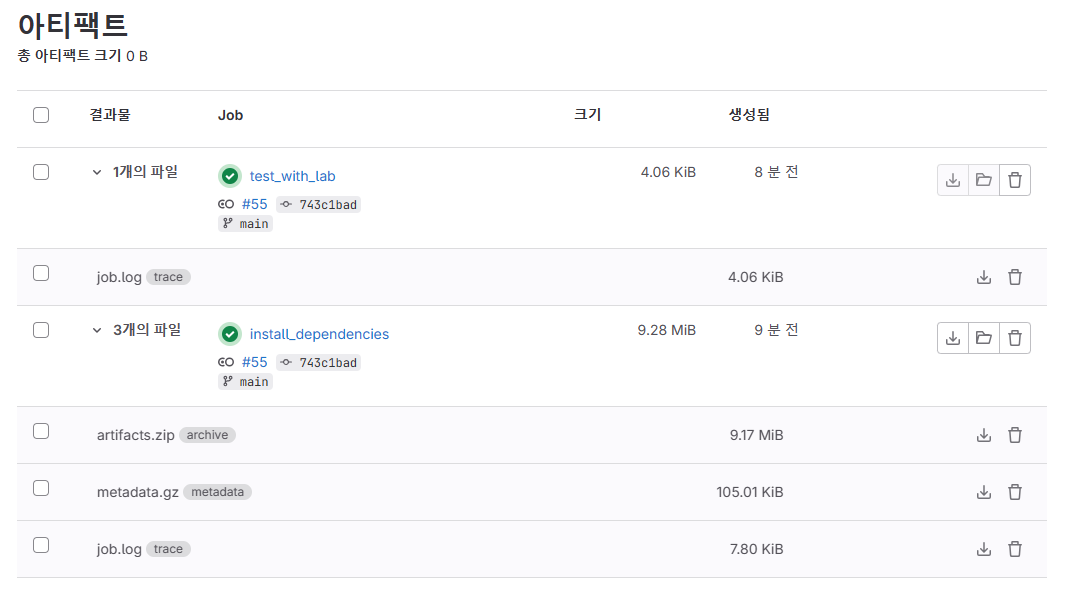
gitlab-ci.yml 테스트 코드
vim .gitlab-ci.ymlimage: node:carbon
stages:
- build
- test
cache:
paths:
- node_modules/
install_dependencies:
stage: build
script:
- npm install
artifacts:
paths:
- node_modules/
test_with_lab:
stage: test
script: npm test
참고URL
- gitlab-ci.yml 테스트 코드 : https://github.com/do-community/hello_hapi
- 컨테이너에서 GitLab Runner 실행하기 : https://docs.gitlab.com/runner/install/docker.html
728x90
'리눅스' 카테고리의 다른 글
| [WIP] Python 언어를 사용하여 간단한 Base64 인코딩 및 디코딩 예시 (0) | 2026.05.02 |
|---|---|
| [WIP] 우분투 18.04 LTS에서 Python 3.9 설치 및 기본 설정 방법 (0) | 2026.04.30 |
| [WIP] GitLab Runner 설치 및 등록하기 (0) | 2026.04.30 |
| [WIP] 우분투에서 pigz 설치 및 사용 방법 (병렬 gzip 압축) (0) | 2026.04.30 |
| [WIP] Docker 컨테이너를 Privileged 모드로 실행하는 방법 (0) | 2026.04.30 |


