728x90
생성된 지 30일 이상 된 파일만 삭제하는 방법(find 활용)
find rm 명령어
Usage: find [-H] [-L] [-P] [-Olevel] [-D help|tree|search|stat|rates|opt|exec] [path...] [expression]1. find에서 사용하는 시간 옵션 정리
- -atime : 마지막 접근 시간(access time)
- -mtime : 마지막 수정 시간(modify time)
- -ctime : 메타데이터 변경 시간(change time)
- -ctime은 파일 생성 시간이 아니라 권한 변경, 소유자 변경, 링크 변경 등도 포함합니다.
2. 30일 이상 지난 파일 삭제
-exec rm 사용
find /var/spool/clientmqueue -ctime +30 -exec rm -f {} \;xargs 사용
find /var/spool/clientmqueue -ctime +30 | xargs rm -r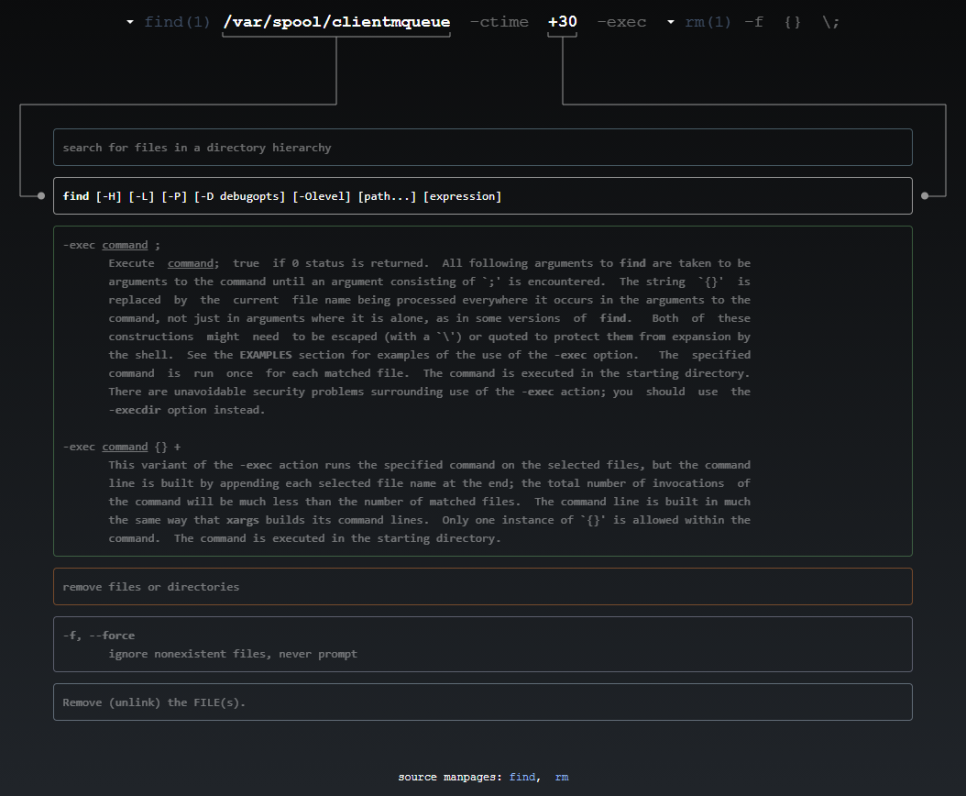
3. 삭제 대상 확인
find /var/spool/clientmqueue -ctime +30 -ls또는
find /var/spool/clientmqueue -ctime +304. 파일만 삭제하고 디렉터리는 유지하기
- -type f : 파일만 대상
find /var/spool/clientmqueue -type f -ctime +30 -exec rm -f {} \;5. 크론(cron)으로 자동 정리하기
매일 새벽 3시에 자동 삭제
0 3 * * * find /var/spool/clientmqueue -type f -ctime +30 -exec rm -f {} \;
참고URL
728x90
'리눅스' 카테고리의 다른 글
| [WIP] Ubuntu Server 22.04 LTS를 설치하는 방법 (0) | 2026.01.16 |
|---|---|
| [WIP] passwd 명령어 (0) | 2026.01.16 |
| [draft] Nginx 액세스 로그에서 공격자 IP 추출 및 차단 자동화 방법 (0) | 2026.01.16 |
| [draft] GNU C 라이브러리(glibc)의 버전을 확인하는 방법 (0) | 2026.01.15 |
| [draft] IP 계산기(ipcalc/sipcalc) (0) | 2026.01.15 |


